

By Julian Bringold, Co-founder of SeveUp ·
Quick answer
In Claude, open Settings, Customize, Connectors, then Add and Add custom connector. Enter the name SeveUp and the address https://mcp.seve-up.app/mcp, confirm, then click Connect. SeveUp then shows its consent page: you pick the organization, keep the permissions you need and click Allow.
Free 14-day trial, no credit card.
Once linked to SeveUp App, Claude can answer questions about your projects: which IDS requirements fail on a model, which property is missing and on which objects, what changed between two revisions. You connect once, with no key to copy. Claude adds SeveUp as a custom connector, then SeveUp asks which organization to link and which permissions to grant.
Claude changes its menus from time to time. If a label below has moved, look for the connectors section in Claude's settings.
Prerequisites
- A Claude account that lets you add custom connectors.
- A SeveUp App account that is a member of the organization to link. Any member can allow the connection, and what Claude sees depends on your role. With an administrator account, Claude sees the whole organization. With another account, it only sees your projects, the ones shared with you and the ones in your shared spaces, and only writes where you are allowed to. On a trial account, it only sees your own data.
Add SeveUp in Claude
Open Claude's connectors
In Claude, open Settings, then Customize. The Connectors tab lists the connectors already added. Click Add, then Add custom connector.
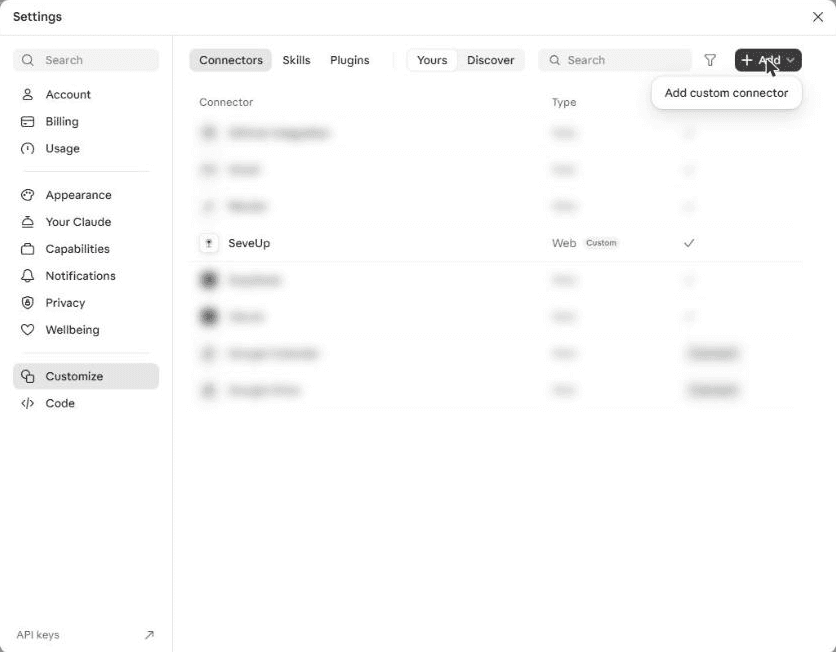
The Add button of the Connectors tab offers Add custom connector. Enter the name and address
In the Add custom connector window, type SeveUp in the name field, then the server address in MCP server URL:
https://mcp.seve-up.app/mcpClick Continue.
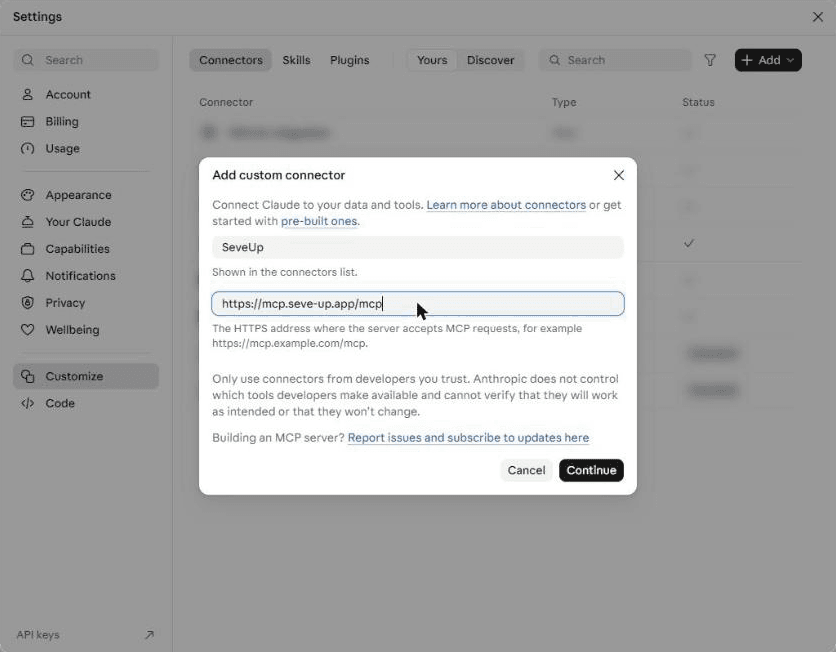
The name appears in the connectors list; the address is SeveUp's MCP server. Keep the detected options
Claude queries the server and selects the right options on its own: Sign in now for authentication and Use Claude’s published identity for the OAuth client, both marked "Detected". Leave them as they are, add no header, and click Add at the bottom of the window.
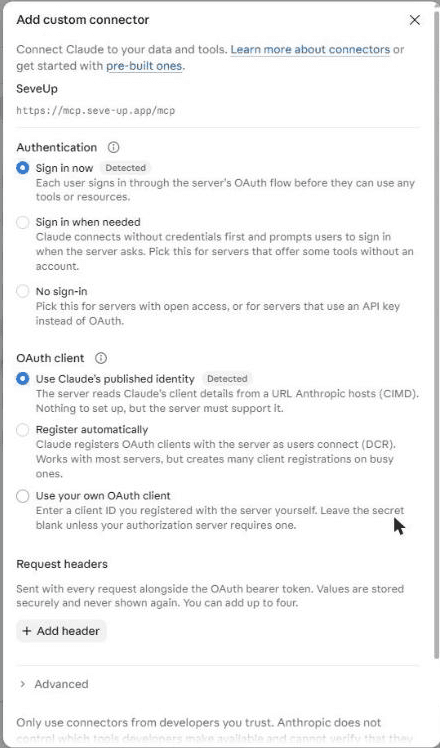
The options marked Detected are the right ones; nothing to change. Start the connection
The connector appears with the message "You’re not connected to SeveUp yet". Click Connect: Claude opens SeveUp App in your browser.
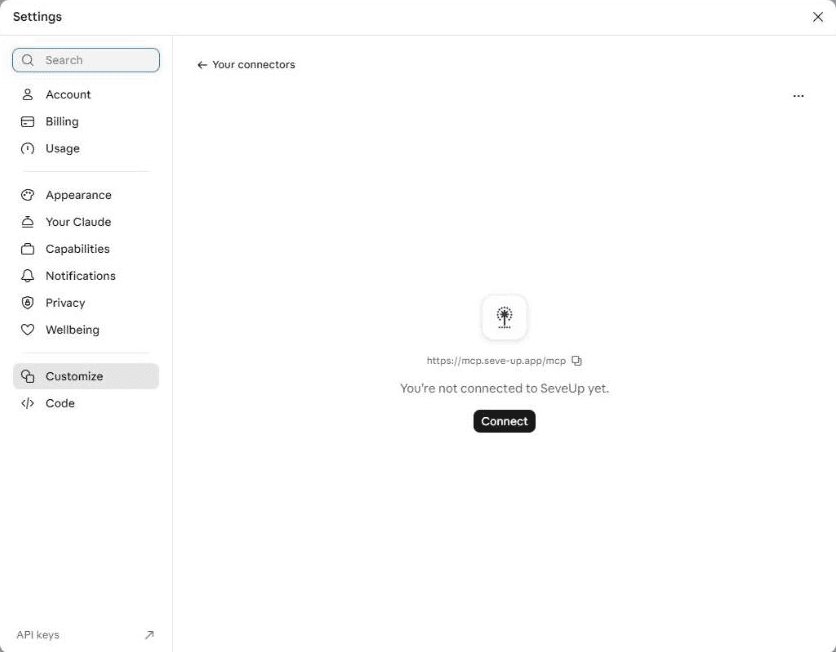
Connect opens the SeveUp App sign-in page.
Allow access in SeveUp App
Sign in to SeveUp App
If you are not signed in yet, SeveUp shows its sign-in page. Enter the email address and password of your account, then click Sign in. You then land on the consent page.
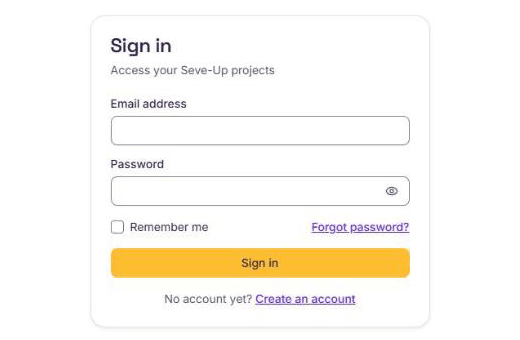
Sign in with an account that belongs to the organization to link. Choose the organization and permissions
The "Allow access to SeveUp" page says that Claude wants to access your organization's data. If you belong to several organizations, pick in Organization the one Claude may consult: a connection only sees that one.
The "Requested permissions" list shows what Claude will be able to do:
- view projects;
- view models and their revisions;
- view IDS check results;
- export model data;
- view issues and their comments;
- upload requirement sets and run IDS checks;
- create dashboards in spaces.
Uncheck what you do not need. With read permissions only, Claude consults your data without changing anything. At least one permission must stay checked.
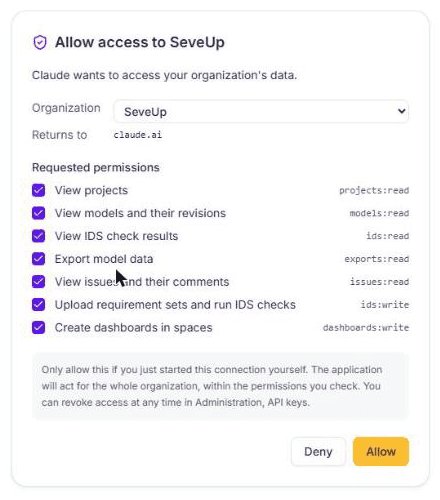
Each permission can be unchecked before you confirm. Allow
Click Allow. SeveUp sends you back to Claude, which shows "Connected to SeveUp". The request stays valid for 10 minutes: after that, start again from Claude with Connect.
In Claude, the connector page now lists SeveUp's tools. For each group of tools, Needs approval means Claude asks for your go-ahead before using them.
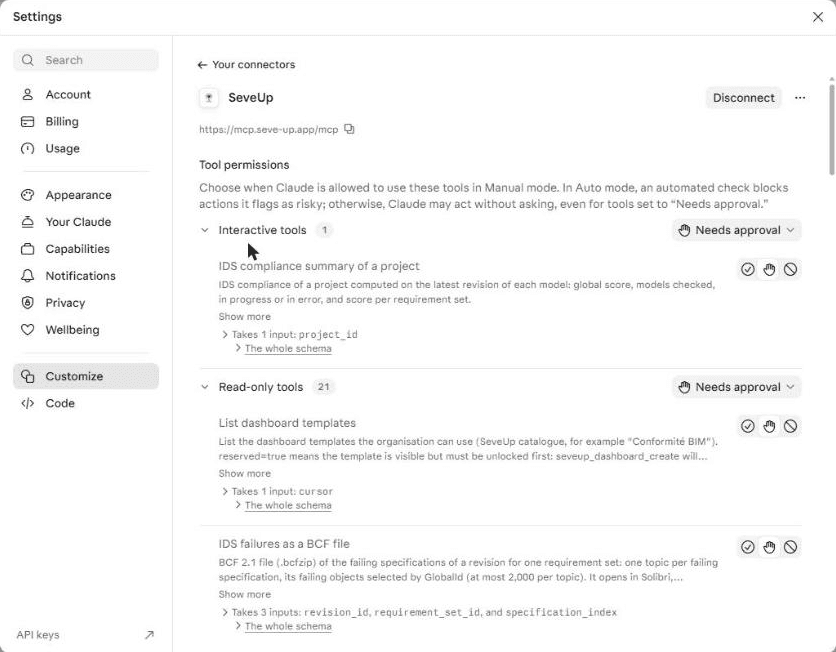
Once connected, Claude lists SeveUp's tools and their approval setting.
Use SeveUp in a conversation
In a new conversation, click the + button below the message box, then Connectors. Check that SeveUp is turned on.
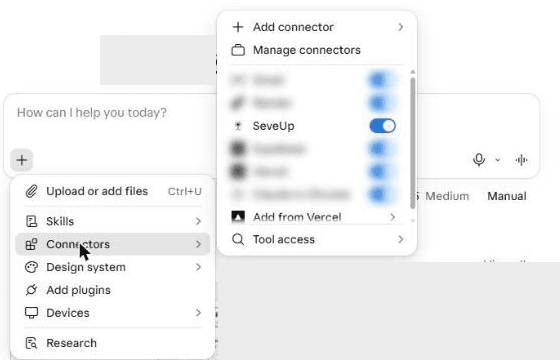
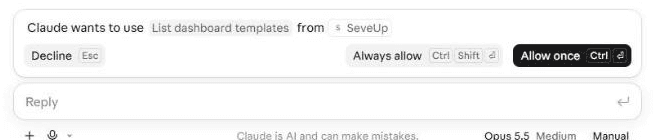
Then ask your question in plain language, for example "Which IDS requirements fail on the latest revision of my model?". When Claude wants to use a SeveUp tool, it shows the tool's name and waits for your answer: Allow once for this time, Always allow to stop being asked for that tool, Decline to refuse.
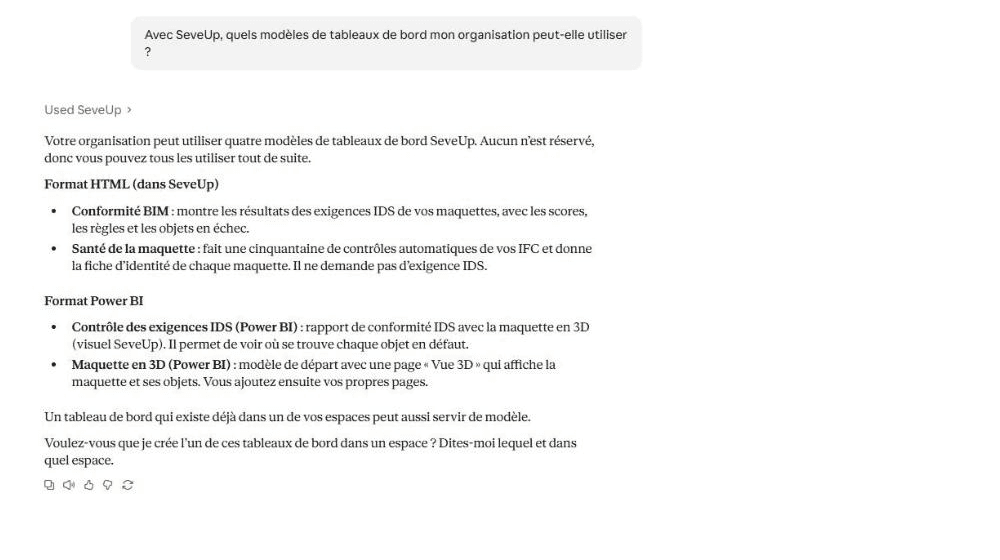
The answer is based on your organization's data, and the "Used SeveUp" mention shows that Claude consulted it. Claude answers in the language of your question: the example below was asked in French.
10 questions to ask Claude
Replace the names in quotes with your own projects, models and properties. Claude finds the matching IDs in SeveUp on its own.
- "Rank the projects of my organization from least to most IDS compliant." You know where to act first, without opening every project.
- "Give me the IDS compliance score of the ‘Lot 3’ project, model by model." A project review in one answer, including models still processing or in error.
- "Which requirements fail on the latest revision of the ‘Structure’ model?" The list of points to fix on the revision that matters.
- "Why does the fire rating requirement fail, and on which objects?" Claude gives the expected property, the value found and the objects affected.
- "What improved and what regressed between the last two revisions of this model?" You check that a delivery fixes the defects without creating new ones.
- "Which walls have no fire rating filled in?" A targeted search on objects with a missing or empty property.
- "How are the values of the ‘Material’ property spread across all beams?" Mistyped or inconsistent values stand out.
- "Is the latest revision of the ‘HVAC’ model ready to be consulted?" You know whether processing is finished before discussing it in a meeting.
- "Which issues are still open on the ‘Architecture’ model, and what do their comments say?" Where the remarks stand, without going through the board.
- "What does the ‘Structural works’ IDS requirement set contain?" The detail of each requirement, to explain to a company what will be checked.
10 things to have Claude do
Actions 3 to 6 change your organization: they need the matching permissions, checked when you allowed the connection, and a paid plan. During the trial, the connection stays read-only.
- Prepare the BCF file of the failures. "Prepare the BCF file of the objects failing the fire rating requirement." Claude returns a download link valid for one hour. The file opens in Solibri, BIMcollab, Revit or Navisworks, ready to attach to your message to the company.
- Draft the message to the company. "Draft a message to the structural works company from this issue and its comments." Claude uses the issue description and its comments.
- Run an IDS check. "Run the check of the latest revision of the ‘Structure’ model with the ‘Structural works’ requirement set, then give me the result." Claude starts the check, follows its progress and reads the failing requirements once it is done.
- Add an IDS file. Attach the .ids file to the conversation: "Add this IDS file to the ‘Coordination’ space."
- File a requirement set. "Move the ‘Structural works’ requirement set into the ‘Lot 3’ space."
- Create a dashboard. "Create a ‘Conformité BIM’ dashboard in the ‘Coordination’ space." The dashboard is built from a SeveUp template, with no manual setup.
- Export a model's data. "Export the data of the latest revision of the ‘Structure’ model as CSV." For a spreadsheet or a quantity take-off tool.
- Prepare the coordination meeting. "Prepare a summary for the coordination meeting: IDS score per model, regressions since the last revision and issues still open." Claude combines the answers of several tools into one note.
- List the objects to fix. "Make me a table of the doors whose sound reduction index is empty, with their name." A table to send as is or to complete.
- Gather the drawings of a Kairnial project. "Put all the DWG drawings of the ‘North Hospital’ Kairnial project into one archive." This works when the Kairnial connector is linked to your organization.
Cut off access
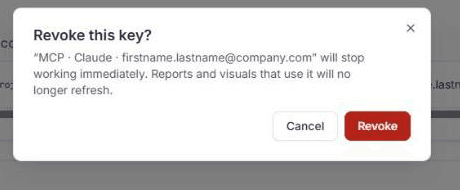
Allowing the connection creates an organization API key, named "MCP · Claude" followed by the email address of the person who approved it. To cut off access, open My organisation, then API keys. In "Organisation keys", find the "MCP · Claude" key and click Revoke.

Confirm in the "Revoke this key?" window. The key stops working immediately: Claude can no longer read anything in SeveUp until a new connection is allowed.
On Claude's side, Disconnect on the connector page also cuts the connection, but the key stays listed in SeveUp until you revoke it.
Common issues
Claude shows “A connector with this URL already exists”
SeveUp is already in your Claude connectors. Open it from Connectors instead of adding a second one, then click Connect if it is not connected.
The consent page will not let you approve
The page shows “Your account has no access to this organization”: the signed-in account is not a member of the chosen organization. Pick another organization from the list, or sign in again with the right SeveUp account.
“This request has expired”
The authorization request lasts 10 minutes. Go back to Claude, open the SeveUp connector and click Connect again.
Ready to start?
Your SeveUp App workspace is ready as soon as you sign up.
Free 14-day trial, no credit card.