

Quick answer
To download your model data, open the Tasks page, start the Download data wizard, pick the models and tables, then choose CSV or JSON. SeveUp App builds a ZIP file on the server and gives you a download link when it is ready.
Free 14-day trial, no credit card.
Introduction
The Download data wizard gathers the tables of several models into a single ZIP file. It is meant for anyone who wants to use this data outside SeveUp App: spreadsheet, script or reporting tool. The ZIP is built on the server and you get a link when it is ready.
Requirements and limits
- At least one model must have been converted. The wizard exports the latest revision of each selected model; a model without a revision is skipped and the wizard says so.
- Your role must allow exports. Otherwise the application points you to an organization administrator.
- The number of models per export is limited. The wizard shows the maximum and tells you how many models to remove if you exceed it.
Start an export
Open the wizard
In the Tasks menu, "Data" section, open the Download data card.
Pick Folders (optional)
On the Folders step, pick one or more Folders to preselect all their models. Without a Folder, you pick models directly.
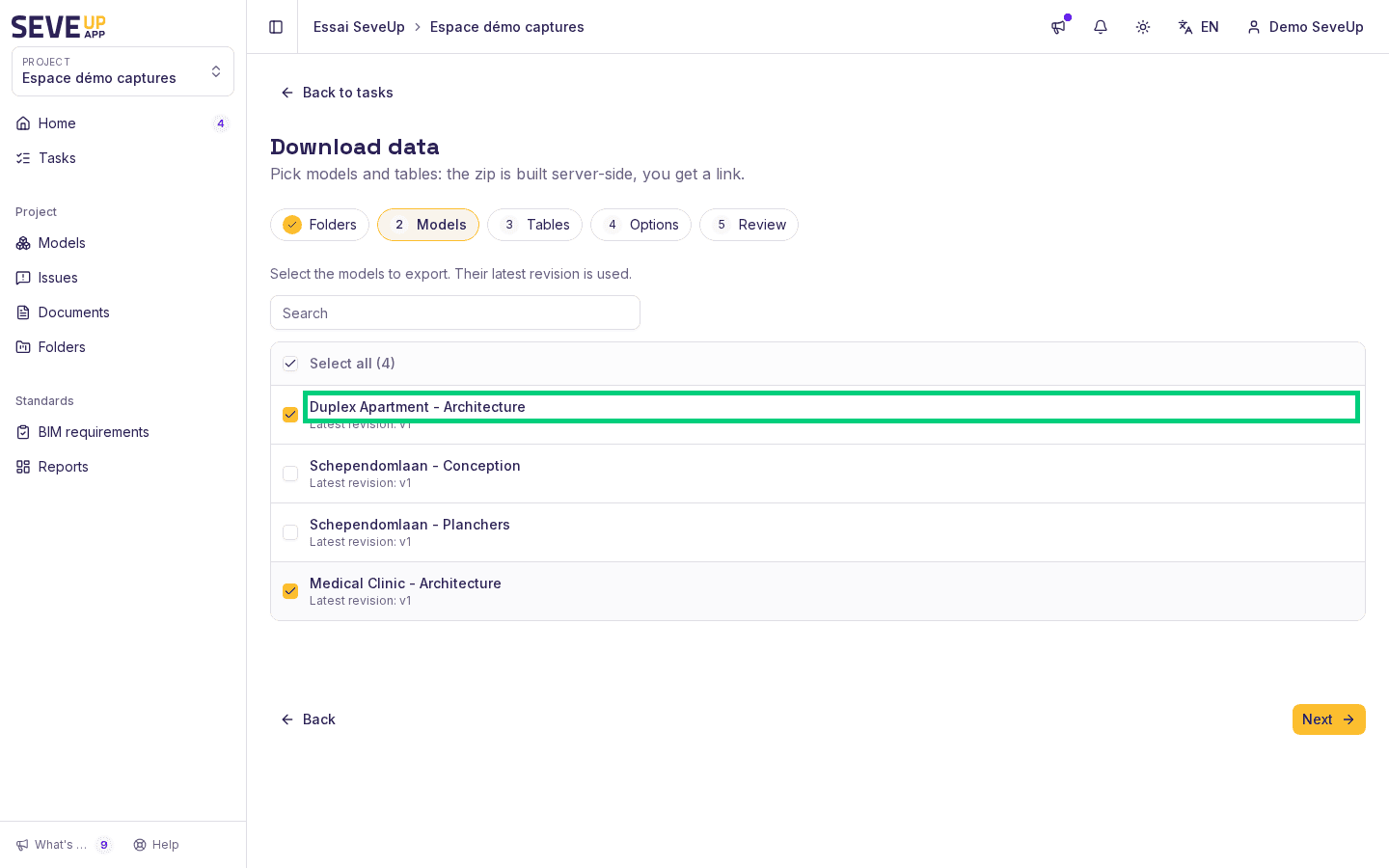
Tick the models
On the Models step, tick the models to export. Each row shows the latest revision used.
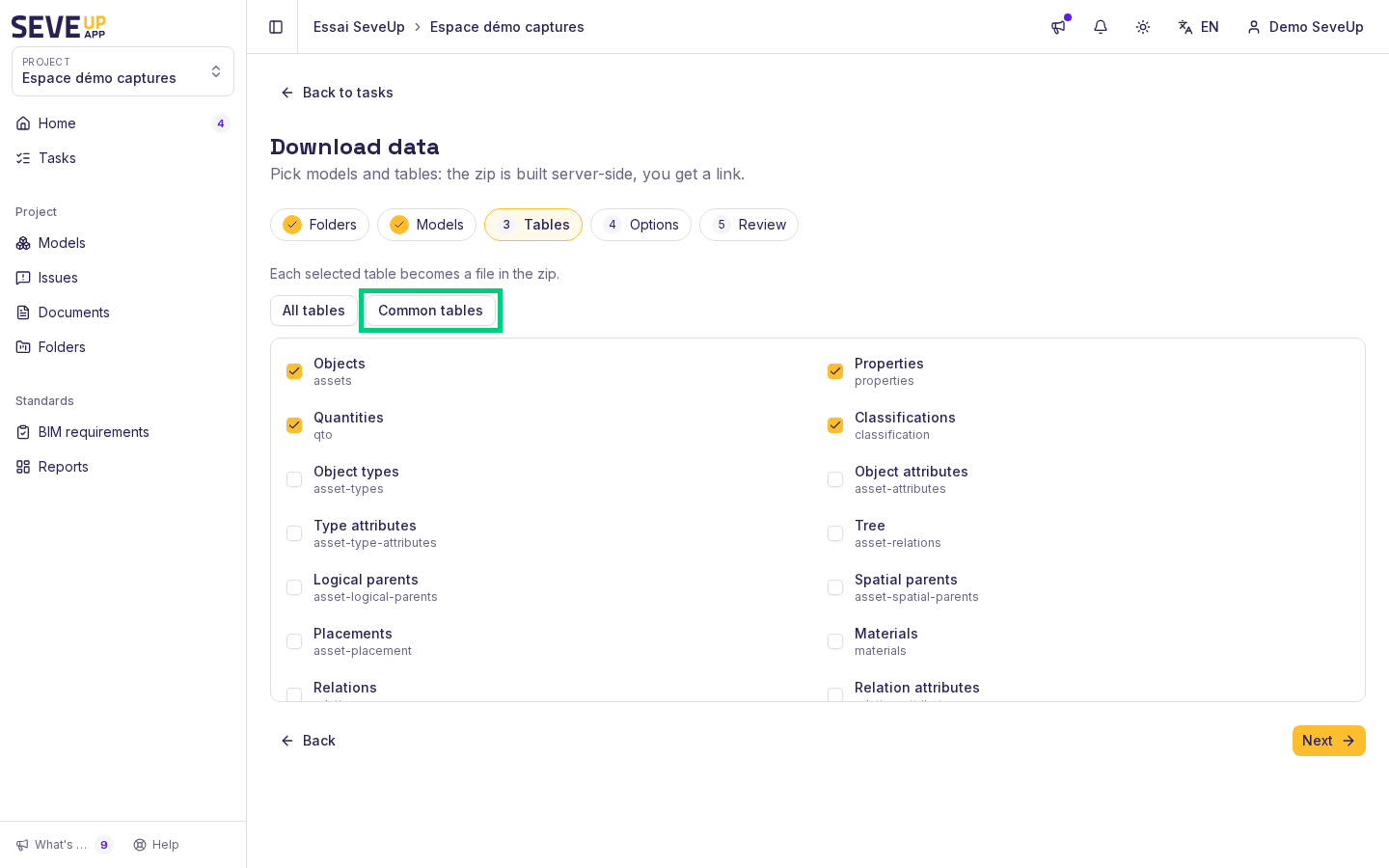
Tick the tables
On the Tables step, tick the tables you need. Each ticked table becomes a file in the ZIP. "Common tables" ticks Objects, Properties, Quantities and Classifications; "All tables" ticks all eighteen.
Choose the format and start
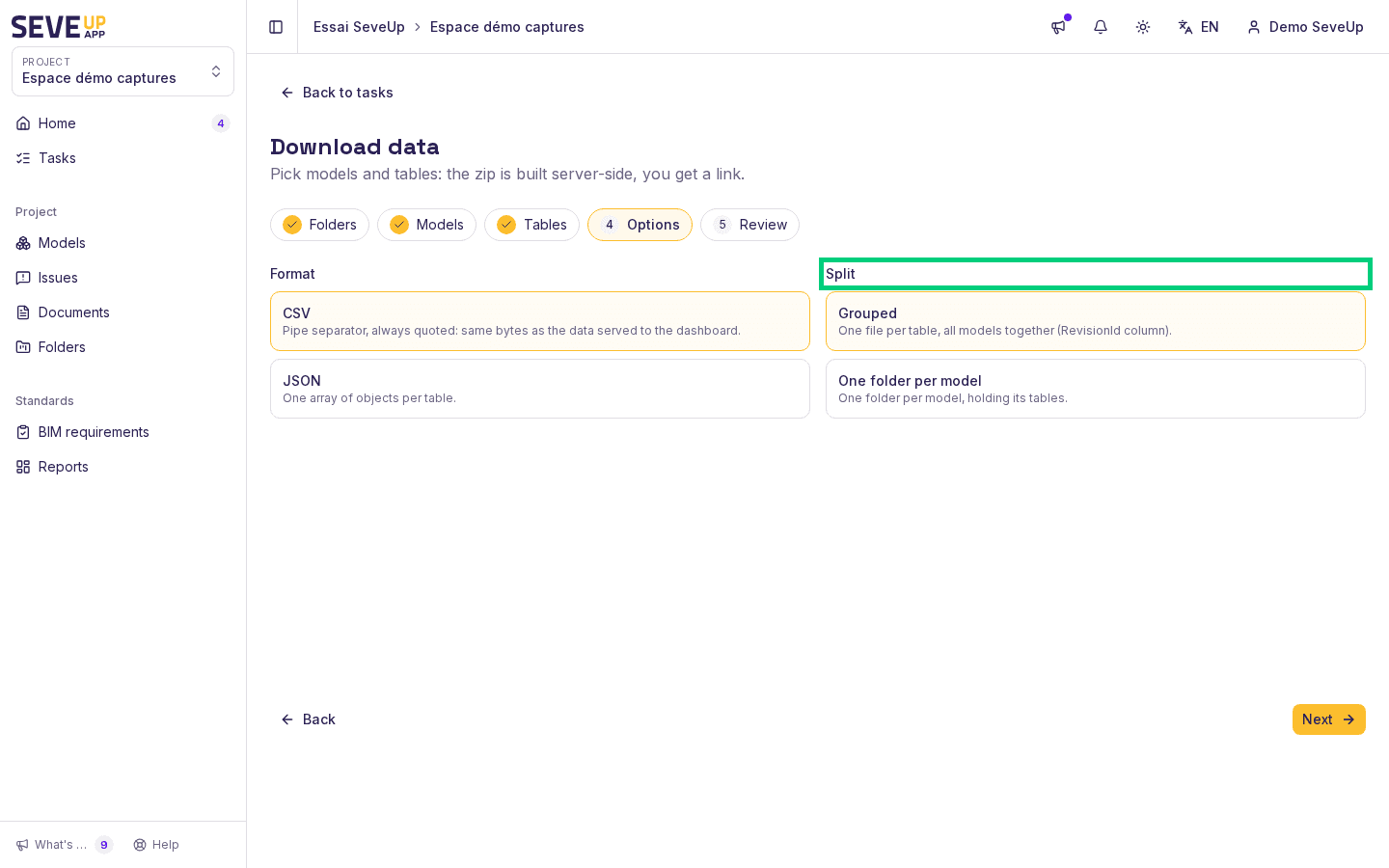
On the Options step, choose the format and the split. Check the Review, then click Prepare export.
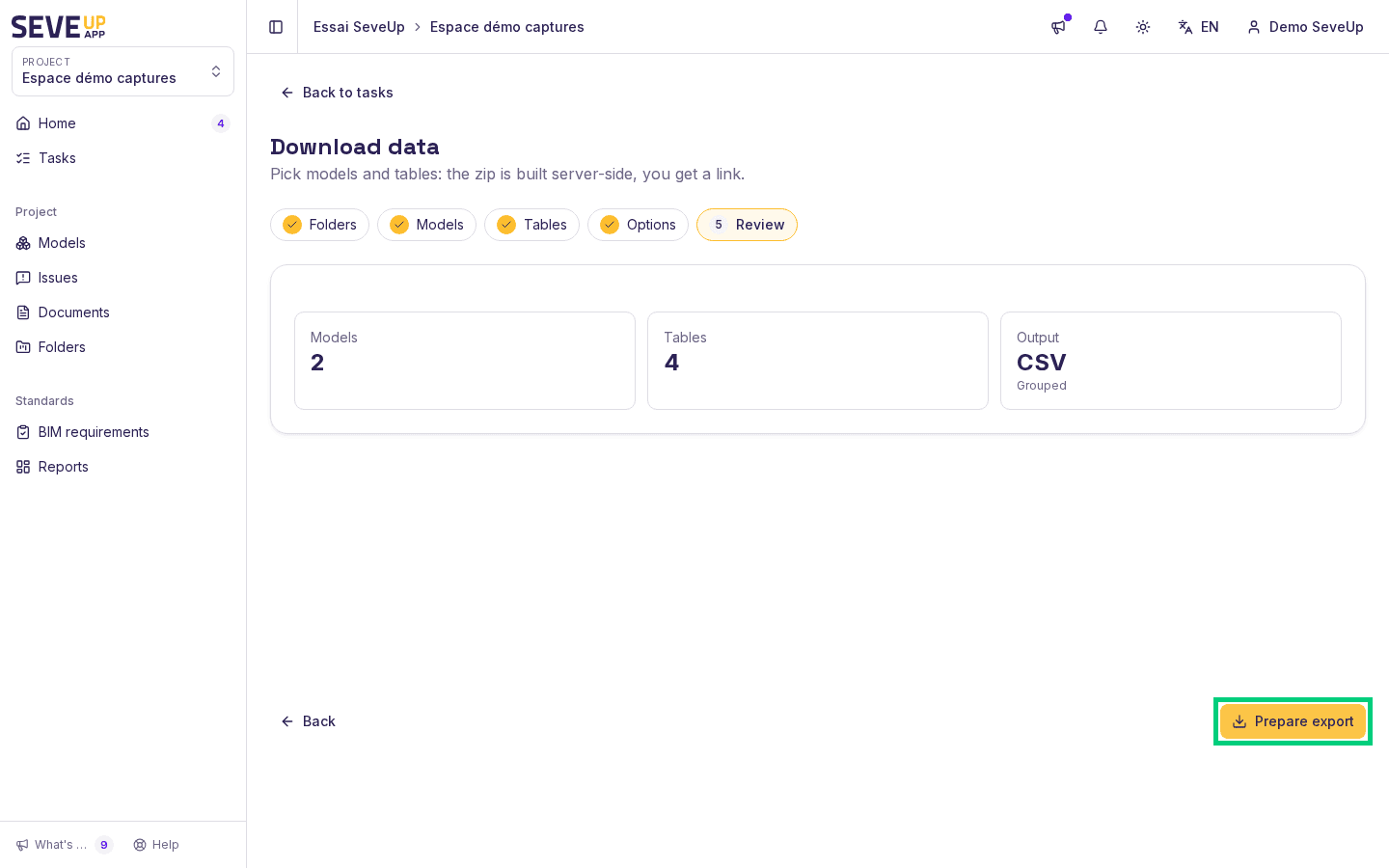
The screen tracks progress: "Request queued…", then "Building…", then "Ready". Click Download zip. The New export button restarts the wizard. The link stays valid for a limited time: the screen shows "Link valid until" followed by the date.
Choose the format and the split
CSV uses the "|" separator and always quotes values. It is the same format as the data served to dashboards, so both exports give the same data. JSON provides one array of objects per table.
The "Grouped" split produces one file per table, all models together; a RevisionId column identifies the model of each row. The "One folder per model" split produces one folder per model, holding its own tables.
What each table contains
Labels below are those of the wizard.
| Table | What it describes |
|---|---|
| Objects | The objects of the model, one row per object |
| Properties | The properties of the objects |
| Quantities | The quantities of the objects |
| Classifications | The classifications attached to objects |
| Object types | The object types |
| Object attributes | The attributes of the objects |
| Type attributes | The attributes of the object types |
| Tree | The object hierarchy |
| Logical parents | The logical parent of each object |
| Spatial parents | The spatial parent of each object |
| Placements | The placement of objects |
| Materials | The materials |
| Relations | The relations between objects |
| Relation attributes | The attributes of these relations |
| Space boundaries | The space boundary relations |
| Revisions | The revisions of the models |
| IDS validity by model | The IDS check result for each model |
| IDS validity by entity | The IDS check result for each entity |
The two "IDS validity" tables are only available as CSV and are not ticked by default: they require an IDS requirement set attached to the model and evaluated. When no IDS check is attached to the selection, the wizard reports that these tables do not apply to this selection: this is not an error.
If the export is partial or fails
A "Partial" export contains the tables that succeeded, plus one .ERROR.txt file per missing table. The screen shows how many tables could not be exported. For a "Failed" export, or one whose link is "Expired", start a new export.
If the service restarts when you submit, the screen asks you to try again in a minute; your selection is kept.
Download the tables of a single revision
For a processed revision, the processing jobs window offers the Download tables (CSV + JSON) button. It only appears when the revision's dataset is complete.
Try it on your model
Create a free account: repeat these steps on your own files in a few minutes.
Free 14-day trial, no credit card.