

Quick answer
In SeveUp App, the “Models” page lets you import IFC files, check revisions, open the 3D view and follow the Conversion → Dataset → Scene pipeline. This guide covers bulk import, adding a new model version, and the checks to perform when one processing stage changes to “Error”.
Free 14-day trial, no credit card.
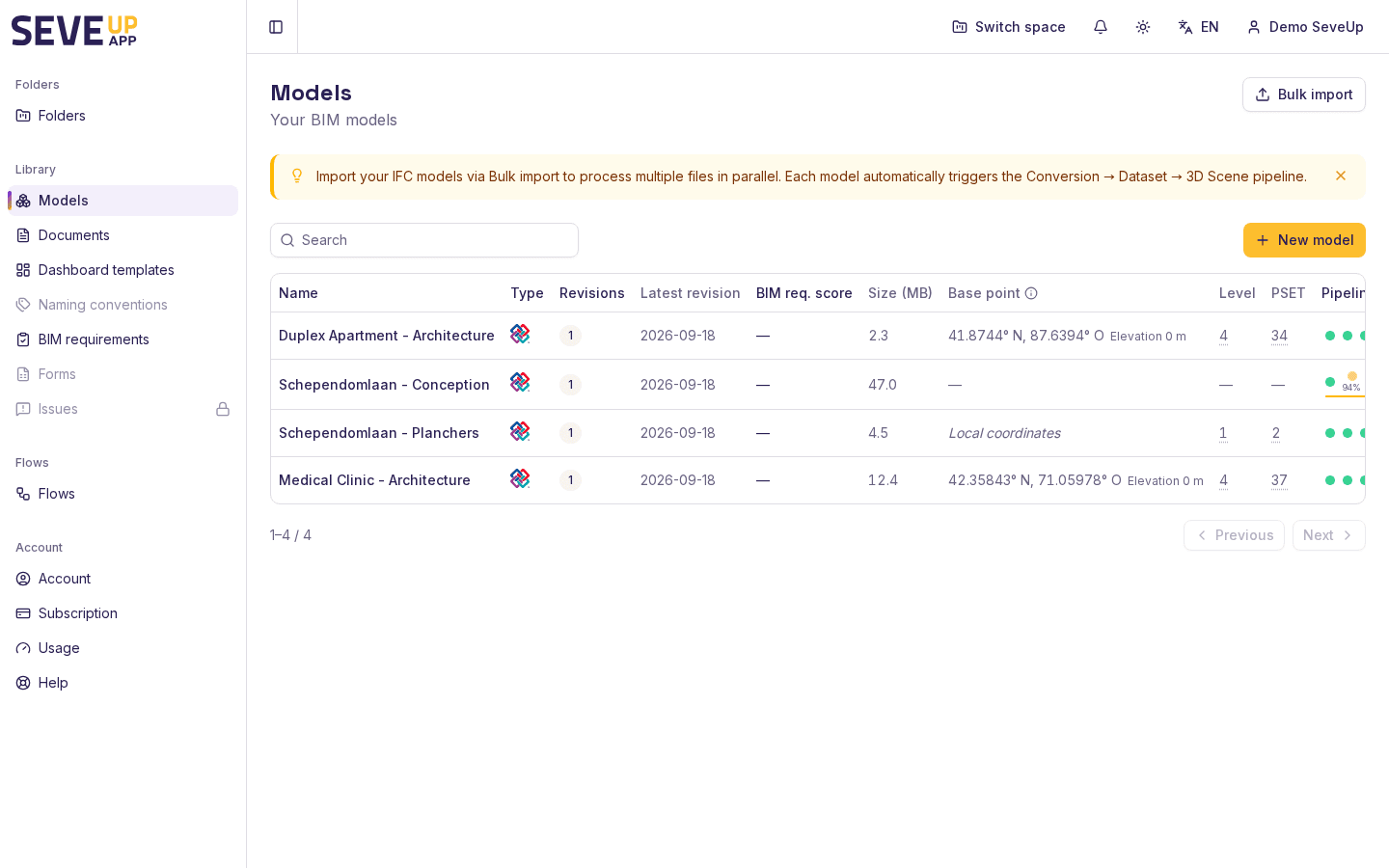
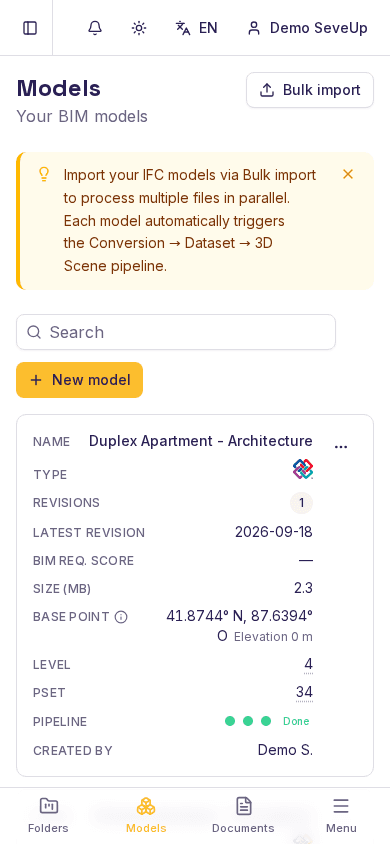
Importing and monitoring an IFC model involves more than dropping a file into the application. You also need to know whether the file became a revision, whether its conversion succeeded, and whether its 3D scene is ready. On the “Models” page, SeveUp App brings together the model list, revisions, base point, levels, PSETs and pipeline status.
Understand the terms
Before you start
- Open “Models” from the navigation in the project you want to use. The library is filtered by project.
- Prepare an
.ifcor.ifczipfile. Bulk import accepts both extensions. - Give each file a clear model name. You can edit it in the “Names” step.
- If you want to link models to a folder, keep its name nearby. Linking is offered in the “Link” step, where you can also create a folder with “New folder”.
Import one or more models
Files
From “Models”, choose “New model” to open the “Bulk import IFC models” dialog. Drop
.ifcor.ifczipfiles into the drop zone, or click “or click to browse”. Duplicate copies of the same file in one batch are not added twice.When the list is ready, choose “Next”. If no file has been added, the next step remains disabled.
Names
Matching against an existing model is done by model name only (not file size or content) and is checked once, when leaving the "Files" step. Editing a name afterwards at this step is not re-checked: give it the exact name of an existing model from the start if you want it recognized as a duplicate. Check every “Model name” field. If a name already exists, the screen shows "A model named "" already exists" and offers two choices:
- “Add as a new version” to attach the file to the existing model;
- “Create a separate model” to keep a separate model.
Fix empty names before choosing “Next”. Choose “Back” if you need to change the file list.
Link
The “Folder” panel is optional. Search with “Search folders…”, check one or more folders, then choose “Import 1 model” (or “Import N models” depending on the batch). A folder that was already the current context stays selected and cannot be unchecked.
During the upload, each row shows its state and progress. “Finishing up…” appears after the bytes have been uploaded, so keep the dialog open until the result. The success message states how many models were imported; entries marked “already present” are reused with no new creation or processing; only genuinely new files start processing.
For a single-model workflow, return to the IFC models list after the import. The “Revisions” column shows the revision count; select the model name to open its detail page.
Monitor processing
Each row has a “Pipeline” column. Select its status to open “View pipeline”. It shows three stages: “Conversion”, “Dataset” and “Scene”.
Read the displayed statuses as follows:
| Displayed status | What it means in practice |
|---|---|
| “Pending” | The task is in STANDBY or its state is not available yet. |
| “Ready” | The stage can be taken in charge. |
| “Queued” | The stage is waiting its turn. |
| “Processing” | The stage is active; a percentage may be shown. |
| “Done” | The stage has finished processing. |
| “Error” | The stage failed; open the details to read the message and warnings. |
The colored dot is not the only signal: text, percentage and the accessible summary also describe the state. When all three stages are finished, the row shows “Done” if none failed, or “Error” if at least one stage failed.
On a revision, “Jobs” opens “Processing jobs” and separates “Conversion”, “Dataset” and “Scene”. When the dataset is done, “Download tables (CSV + JSON)” becomes available. The conversion can also show what it actually produced, so a done status alone does not guarantee that data was written.
Add a new revision
Open a model and go to “Revisions”. Choose “Upload revision” and select the new file. The screen explains that “The file will be processed as a new version of this model”. After “Revision uploaded, processing started”, follow the same “Conversion”, “Dataset” and “Scene” stages in “Jobs”.
To check the visual result, choose “View in 3D” on the model or revision. If no scene is ready, the screen shows “No 3D scene available for this model yet.” If loading fails, it shows “Could not load the 3D scene.” Wait for the pipeline to finish before trying again.
What can go wrong
The file does not appear in the selection
Check the extension: bulk import keeps only .ifc and .ifczip. In a batch, remove duplicate entries,
then choose “Next” again.
All uploads failed
“All uploads failed” concerns the file-upload step. The error displayed on each row gives the available reason. Fix the file or network, then retry with a smaller batch.
The server does not respond during finalization
“No answer from the server” does not necessarily mean that nothing was created. Check the library after a short delay. The displayed message guarantees that resending the batch is safe for files already imported (recognised, not recreated); that guarantee covers this exact case, not any "add as a new version" that may be in progress at the same time.
The model was imported but not linked to the folder
If “model was imported but could not be linked to the selected folder” appears, the model exists in the library but is not linked to any folder. Open the target folder, the “Models” tab, and choose “Add” then “From library” to link it there. Import and linking a model to a folder are separate operations.
A new version was not created
If the screen reports that a new version could not be created, check the existing model and its “Revisions” history. Choose “Add as a new version” only when the file should remain in that model.
The pipeline changes to “Error”
Open “View pipeline”, then “Jobs” for the affected revision. Identify the failed stage and read its message and warnings. The “What the conversion actually produced” panel shows “Reported as finished, but NO data was written: the conversion produced nothing. Re-run it.” only once verification has actually run and confirmed this result. “Verification unavailable right now.” and “No data to verify for this revision yet.” mean something else: no verification result is available yet, not that the conversion failed to produce data. Do not confuse them with the first message. The panel offers no rerun button today; keep the displayed details for support.
FAQ
How do I import several IFC files?
In “Models”, choose “New model” to open “Bulk import IFC models”. Drop .ifc or .ifczip files, choose
“Next”, check the names, optionally select a folder, and choose “Import 1 model” (or “Import N models”).
How do I add an IFC as a new version?
In bulk import, when the name already exists, choose “Add as a new version”. From a model detail page, you can also choose “Upload revision” in “Revisions”.
What does STANDBY mean in the IFC pipeline?
STANDBY is the initial or unavailable state for a stage; the interface displays it as “Pending”. Stages then move through “Ready”, “Queued” and “Processing”, and finish as “Done” or “Error”.
Why is my 3D scene unavailable?
The scene is a separate pipeline stage. Until “Scene” is done, the model may show “No 3D scene available for this model yet.” Check “View pipeline” before trying “View in 3D” again.
Can I keep the file in the library without a folder?
Yes. Linking to a folder is optional in the “Folder” panel: a model without a folder stays in the library as normal. The “Models without a project” section is a different case: it concerns a model that belongs to no project (the level above a folder), and offers “Attach to “…”” to link it to the current project.
Did this article help?
Yes / No. Your feedback helps decide which steps in this procedure need more detail.
Try it on your model
Create a free account: repeat these steps on your own files in a few minutes.
Free 14-day trial, no credit card.